There are 2 ways to access your Membership plan to change or cancel it.
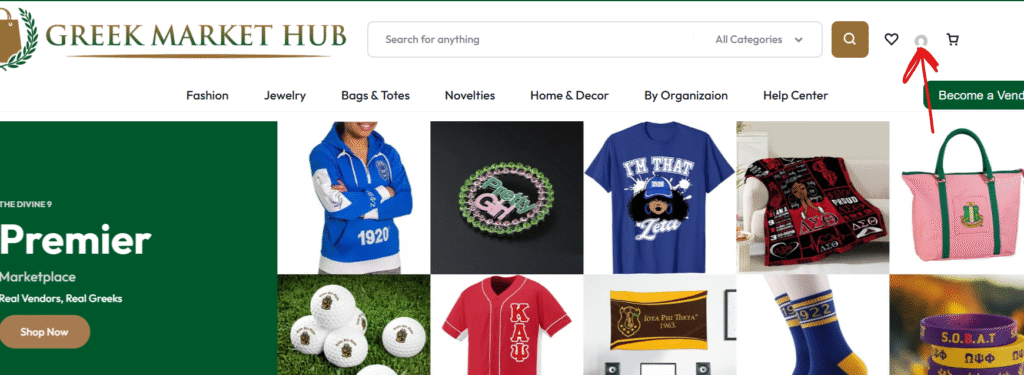
- Click on the profile icon to login to your GreekMarketHub.com account, located in the upper right corner.
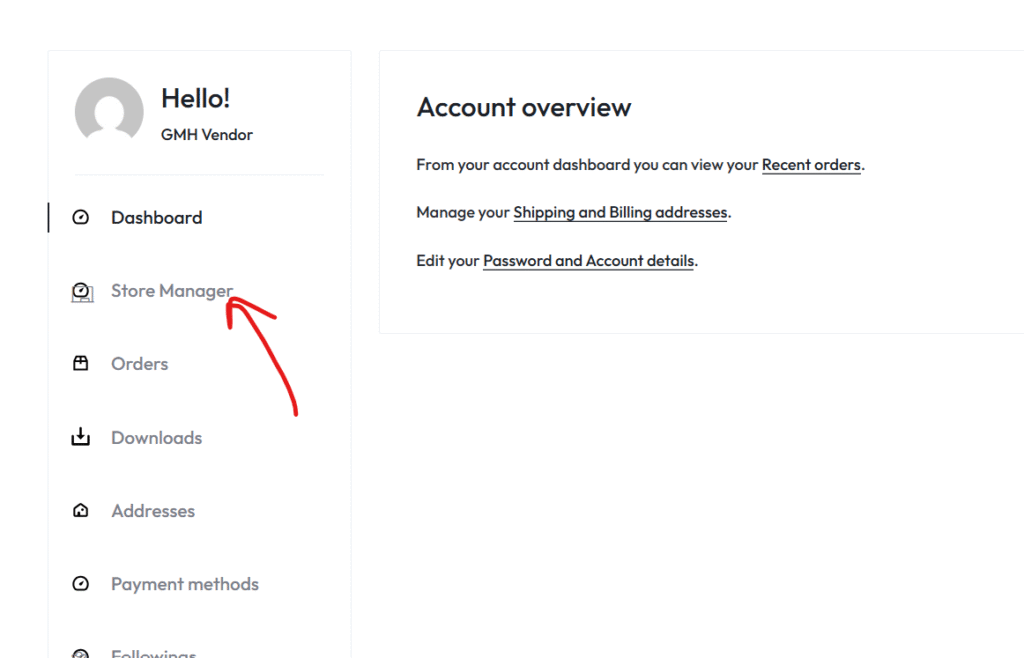
2. From your account dashboard, select, “Store Manager”.
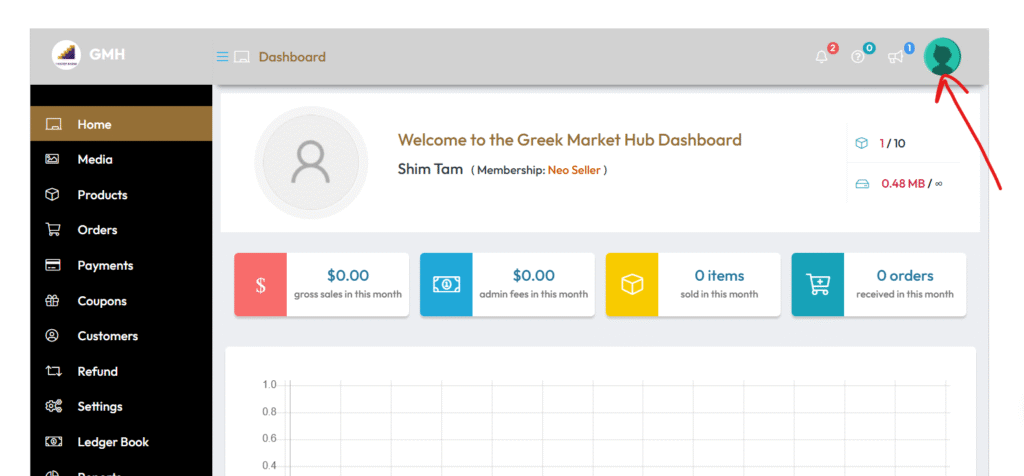
3. On your Store dashboard, click on the Vendor profile icon, located in the top right corner of the dashboard.
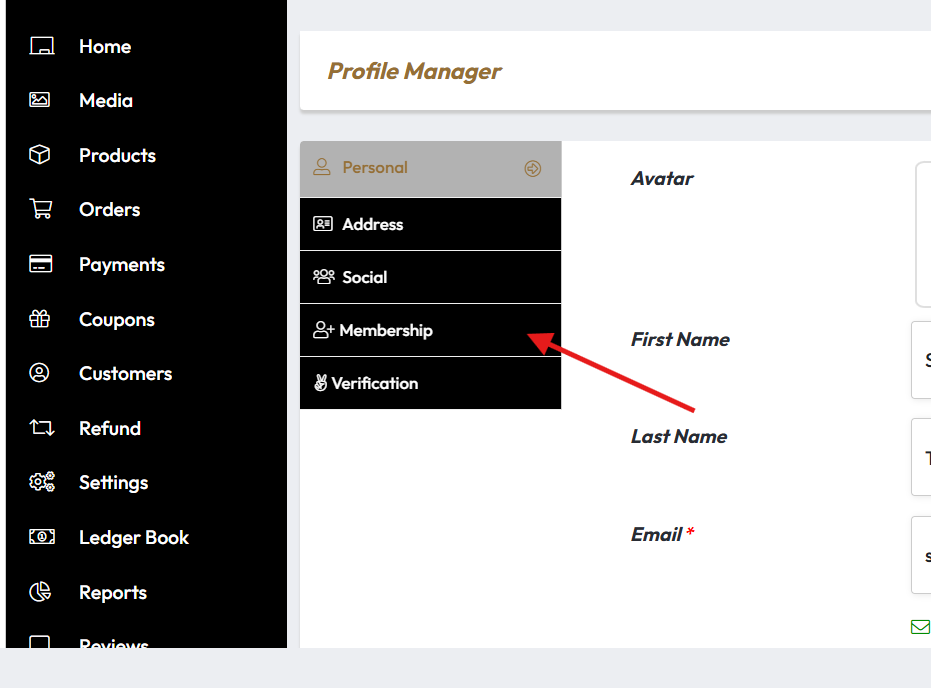
4. Now on the Profile Manager section, select “Membership” .
OR
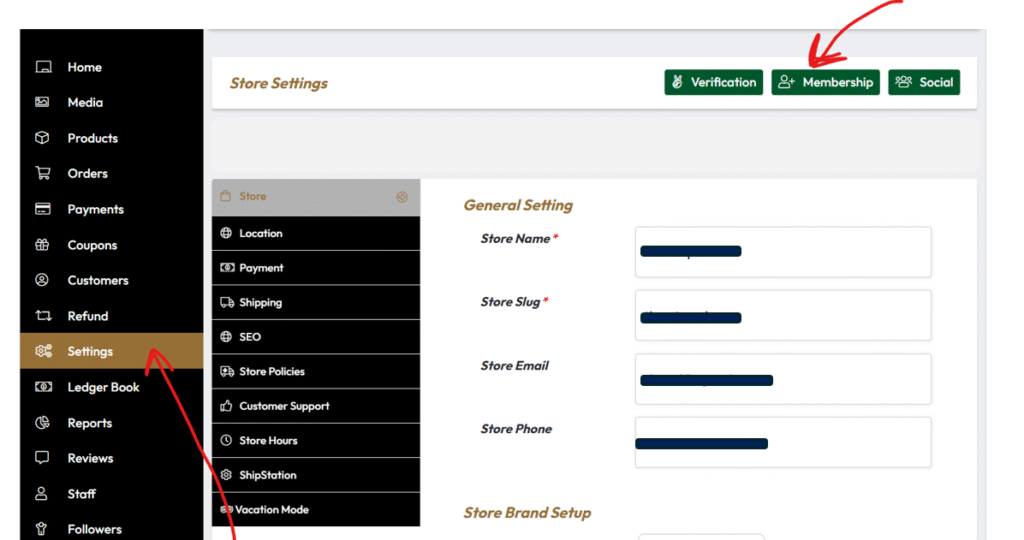
From the Store Dashboard, select the “Settings” tab, then click the “Membership” button on the Store Settings bar.
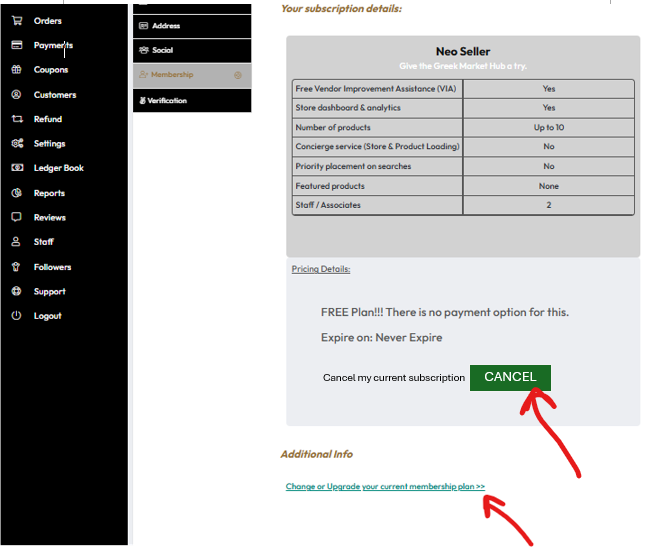
Both options take you to the page shown below where you can view the details of your current plan, click on the link below your plan to change plans, or click “CANCEL” to cancel your membership.
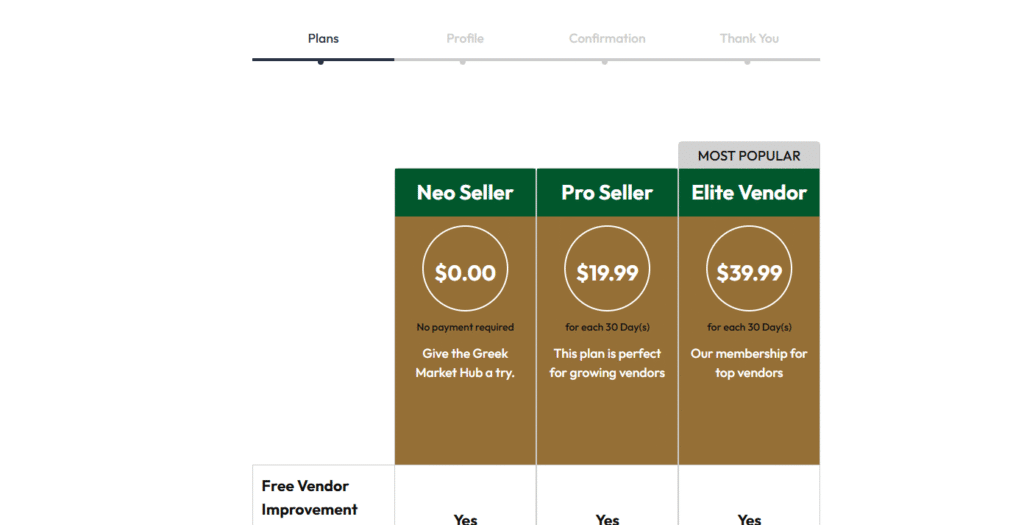
If you clicked on the link to change your plan, you will be redirected to select a new plan.

 No products in the cart.